
KENNISBANK > BLOGS > Work smarter on location with IBM Maximo Mobile and IBM Mobile Assist

Work smarter on location with IBM Maximo Mobile and IBM Mobile Assist

A field technician doesn’t always have the solution to every problem readily available. That’s when it’s nice to have a colleague watching remotely. Or if a few questions to a smart chatbot immediately give you the answers you need. And what about glasses with augmented reality technology that graphically displays assets and shows important information? Together with IBM Maximo Mobile, IBM Maximo Assist is a great support for you and your colleagues in the field. What can you do with it?

1 October 2024 • 12 min read
7

Maintenance information at hand with AI knowledge base IBM Maximo Mobile

With IBM Maximo Mobile, your work as a technician maintaining and inspecting installations is a lot easier. You always have your work orders or inspection forms within easy reach on your tablet or phone. And if you need specific information about an asset, you can quickly find it in a central, artificial intelligence-powered knowledge base. In total, IBM Maximo Mobile includes nine handy apps.
Remote support with IBM Maximo Assist

With IBM Maximo Assist, you can do much more. For example, you can video call colleagues in the office if you can’t figure something out. You can see who is available and have a colleague with knowledge of the matter watch along. You do this directly from IBM Maximo Assist, without having to switch to an external app. Afterwards, the software can use AI to create a summary of the call, both as a video and text file. These files are automatically added to the central knowledge base that is also used by IBM Maximo Mobile, with the correct work order. This way, you and your colleagues can find solutions faster for similar problems in the future.

Augmented reality: an extra dimension to your assets

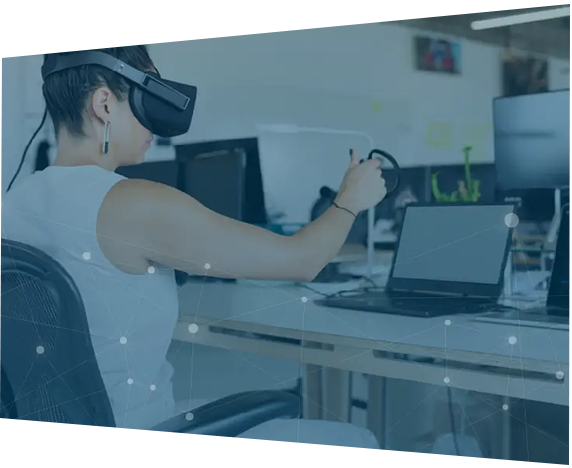
An impressive option of IBM Maximo Assist is the support for an AR headset. With the glasses on, you see a graphical representation of the asset you are looking at. Different parts are provided with a symbol. If you point to such a symbol with your finger, for example at a meter or pump, the glasses recognize that. Then the possibility appears to request specific information, such as the maintenance history or other details.

Higher productivity and knowledge retention

IBM Maximo Assist helps you to increase productivity on location in various ways. You solve problems faster and more often correctly in one go. You can also send less experienced colleagues out on their own or deploy external employees who do not yet know everything about your assets and working methods. This also immediately addresses the shortage on the labor market. Moreover, you secure valuable knowledge: what is now only in the heads of experts is stored and made accessible. This prevents knowledge from disappearing when experienced people leave your organization.

Future-oriented asset management

Applications such as video calling and the smart knowledge base with chatbot are already practically deployable today. Automatically summarizing video calls and using the AR headset still requires a lot of bandwidth, but are definitely interesting opportunities to experiment with for the future. A prerequisite for using IBM Maximo Assist is that you have already switched to IBM MAS. IBM Maximo Mobile, on the other hand, can also be used in combination with IBM Maximo 7.6.3.
Share this message

Would you like to discuss your asset management challenges?

Want to know more?

Would you like to further explore the possibilities of IBM Maximo Mobile and IBM Maximo Assist? Please contact Larry van Elewoud: +31 (0)6 15 45 04 98 or l.vanelewoud@gemba.nl.

Make an appointment
×
This site is registered on wpml.org as a development site. Switch to a production site key to remove this banner.