
Deep Dive IBM MAS Mobile: discover in a few hours what you can do with it
From inventory management to inspection or maintenance in the field: IBM MAS Mobile offers your organization many opportunities to work mobile. How can you apply IBM MAS Mobile? And what are the benefits? During a deep dive session, we, as IBM MAS Mobile experts, will delve deeper into this, together with all your stakeholders. In just a few hours, you will discover what IBM MAS can mean for your organization.
The possibilities of IBM MAS Mobile are constantly growing: there are now nine apps available that help you work mobile faster and more efficiently. Which applications are interesting for your organization? What do they yield? And what is involved when you use them? To give you answers to these questions in a short time, we offer you the opportunity to do a Deep Dive IBM MAS Mobile together with us. We already told you about our deep dive sessions to support your transition to IBM MAS in an earlier blog. In two or four hours (depending on the size of the group), the following topics will be discussed, tailored to your organization and the stakeholders who are present at the deep dive session.

 1. Application scenarios of IBM MAS Mobile
From different roles and work situations, we look at the application of IBM MAS Mobile. For example, what does the ideal day look like for your maintenance engineer who is on the road to resolve malfunctions? Or an inspector, who has to go through all kinds of regular checklists when checking installations in the field? And what does such a mobile checklist look like? But you can also think of the periodic check of the parts inventory. How is this organized with you now? And how does IBM MAS Mobile help you prevent inventory differences?
2. Functionality of IBM MAS Mobile
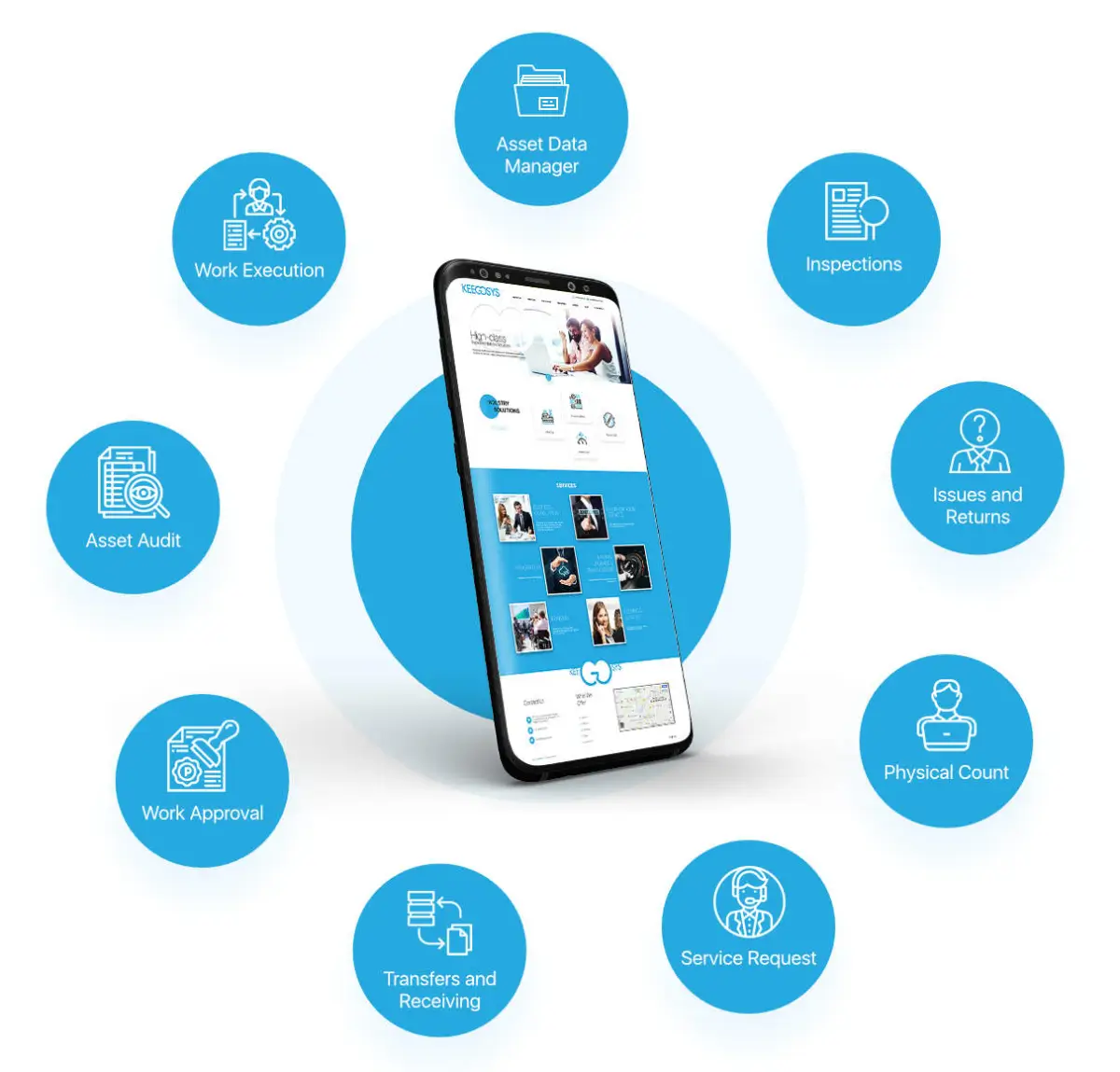
As mentioned, there are currently nine apps available within IBM MAS Mobile. The illustration below shows these apps. During the deep dive session, we will briefly go through the apps that are relevant to your organization with you: what can you do with them and what does that yield?
2. Functionality of IBM MAS Mobile
As mentioned, there are currently nine apps available within IBM MAS Mobile. The illustration below shows these apps. During the deep dive session, we will briefly go through the apps that are relevant to your organization with you: what can you do with them and what does that yield?
3. Choices around IBM MAS Mobile
When deploying IBM MAS Mobile, you face a number of choices. This also applies to the equipment. Will you use mobile phones, tablets, laptops or other devices? And do you make these devices available to your employees yourself or do you opt for a BYOD (bring your own device) policy? Another choice concerns the support of your users. For example, if your employees are not always online when using IBM MAS Mobile, online support is not necessary. Furthermore, connectivity and security are of course important topics, how do you best arrange this? And how do you deal with the distribution of apps and the synchronization of data?
4. Change management: the acceptance of IBM MAS Mobile
What does the deployment of IBM MAS Mobile mean for your employees? And how do you get them involved in changes? Take the timer with which employees can easily indicate when they start and finish a task. That is useful and helps you enormously with your time registration, but it is useless if your employees feel controlled and boycott the timer. These are things to think about carefully in advance: what resistance can arise and how do you prevent it?
5. Lessons learned about IBM MAS Mobile
When you start using IBM MAS Mobile, many things come together. We have already mentioned aspects such as equipment choice, support, connections, security, distribution and synchronization. Experience has shown that it is better to start small. Our advice is therefore to limit the number of apps in the first implementation round and to go for a minimum viable product. During the deep dive session, we will further discuss all the lessons learned that are important to you.
6. IBM MAS Mobile and other technologies
IBM MAS Mobile can be used in combination with various other technologies. Think, for example, of barcodes, QR codes or NFC (near field communication) chips. Each technology has its advantages and disadvantages. Which one do you use now? And what is the best solution if you switch to IBM MAS Mobile?
Look at all blogs


Would you like to discuss your asset management challenges?

Want to know more?
Gemba is the IBM MAS Mobile expert in the Benelux. We are happy to share our knowledge and experience with you in a deep dive session. Curious? Contact Gerben ter Horst: +31 (0)6 – 14 57 21 19 or g.terhorst@gemba.nl.