Finally, effective
mobile working
with all your
asset data
at your fingertips
Give your mechanics, inspectors and managers real-time insights and digital tools, allowing them to retrieve and record information anytime, anywhere.

Online and offline mobile working
Paper forms, duplicate entries and delays cause errors during maintenance and inspection work. With Gemba’s mobile working solutions, such errors will be a thing of the past. You make information available quickly, simply and securely, in any location, even when your maintenance personnel are offline.
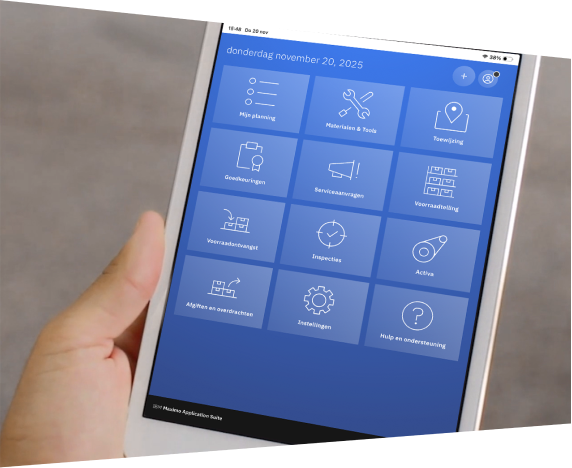
A user-friendly app on a mobile device gives your maintenance personnel access to their work orders and data, including real-time data. The app guides them through the work process with instructions and checklists and ensures that they record their findings correctly and immediately – from meter readings to voice notes and photos.

Correct information
at your fingertips
At the plant, on a dyke, on an oil rig: wherever your mechanics and inspectors are working, they need the right information when they start. Which assets are involved? And what needs to be done? After completing their work, it is just as important that they record data easily and accurately.

Immediately in your dashboards
From the app, all maintenance and inspection data goes directly to your central asset management system in IBM Maximo Application Suite. It also means that the responsible maintenance managers have immediate access to this important data as input for their dashboards and reports.
Step by step towards mobile working
Gemba’s digital solutions for mobile working are based on IBM Maximo Mobile, an intuitive app for work orders, asset information and maintenance tasks. You can choose between a native app for iOS and Android. Gemba helps your organisation make the move towards mobile working and involves your people in the transformation.
What does mobile
working with Gemba mean

for your mechanics and inspectors
- One app for all daily tasks
-
A smaller administrative workload, more focus on work
-
Real-time work orders, asset data, and instructions
- Enter voice notes, photos and checklists directly
- Safer working, with fewer errors
For your maintenance managers
-
Insight into progress, performance and malfunctions
-
Switch faster, based on real-time information
- KPI monitoring and workload balancing
- Link with modules for planning and analytics
Mobile working with Gemba: for results
- Less administrative work
-
Faster work-order and inspection-report processing
- Higher first-time fix rate
- Better use of knowledge and instructions on site
- More insight, fewer disruptions
At Gemba, it’s all about people; you have to enjoy yourself. Because you create a good product with craftsmanship and dedicated people.

How does your organisation approach mobile working?

Get in touch with Gemba
Whether you are at the start of your asset management journey or want to optimize your current IBM Maximo environment, we are happy to help.
Make an appointment ›